Disconnected Position
Updated Aug 24, 2026
If there is a service outage or error that causes your bot to open a position in your brokerage account without recording it at Whispertrades, you can later find those broker positions in a list and associate them with a bot so that your bot can manage that position.
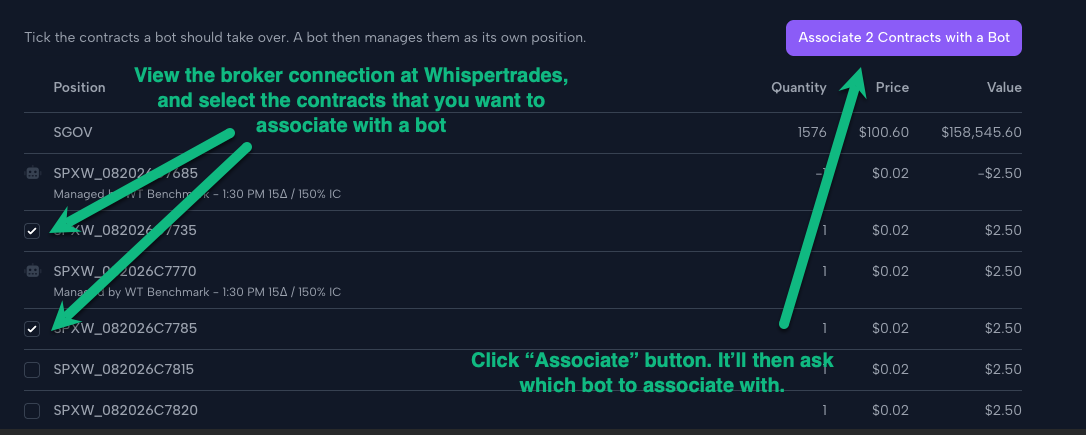
To do this, visit your broker connections and then click on the brokerage account. Find the contract(s) in the list, check the box next to them, and then click the "Associate" button at the top.
Select the bot that you want to associate the contract(s) with, and Whispertrades will create a bot position record just as if the bot had entered it from the start. The bot will immediately start to manage monitored stops on that position. If you’d like a profit target, you’ll need to tell the bot to enter that separately.
The broker connection page knows which of your broker positions are orphaned and which are not. It will not let you associate a broker position with a bot if another bot already has that contract(s) accounted for.