
Backtesting a Bot
Updated Aug 25, 2026
If you'd like to backtest one of your existing bots, you can do so from the bot's menu: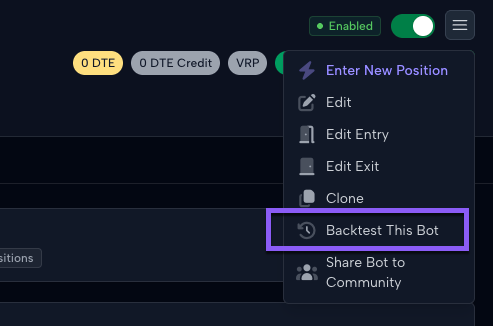
When you click this button, the application will scan the bot's configuration and explain what your new backtest will look like. Backtests support most bot functionality but not all bot functionality. If there is any bot functionality that is not supported by a backtest, it will be highlighted in this window before you create your backtest:
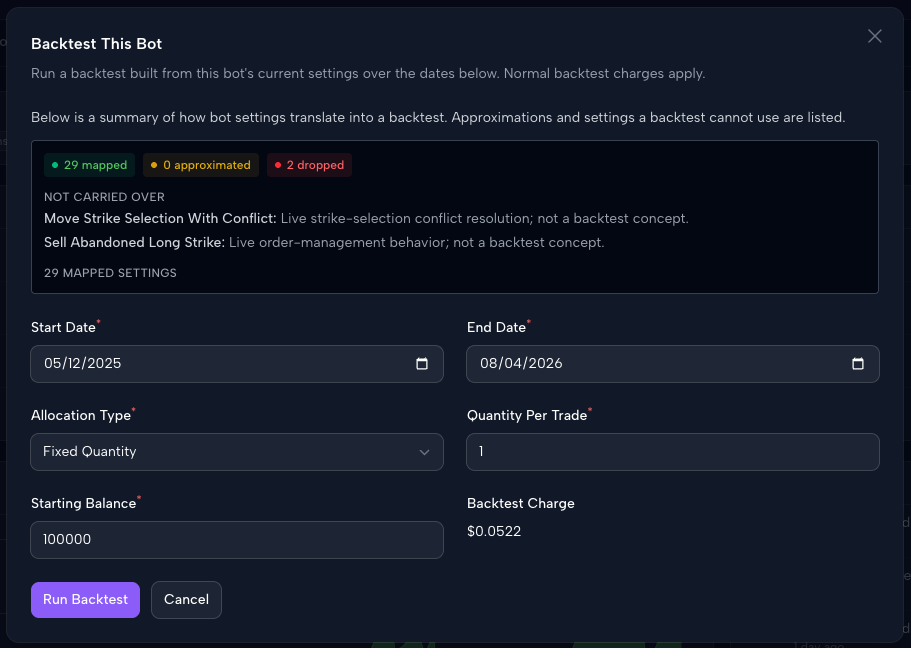
You also have the ability to adjust the date range and allocation of the new backtest. The default date ranges will match the dates when your bot was actively trading for a true comparison. If you'd like to backtest prior to when the bot was trading, you can adjust that date here before you run the backtest. When ready, click Run Backtest, and you'll have your backtest results shortly.