
Create a Bot from a Backtest
Updated Aug 25, 2026
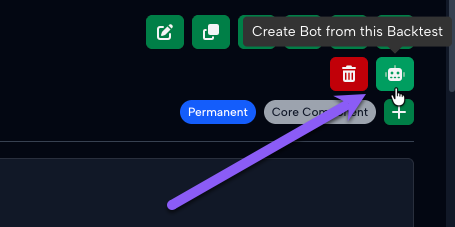
Once you're ready to go from a backtest to a bot, you can click the "Create Bot from this Backtest" button at the top of the backtest.
When you click this button, the application will scan the backtest configuration and explain what your new bot will look like. Backtests support most bot functionality but not all bot functionality. If there is any backtest functionality that is not supported by a bot, it will be highlighted in this window before you create your bot. On this screen, you are also required to select the broker connection that you want to move this bot to:
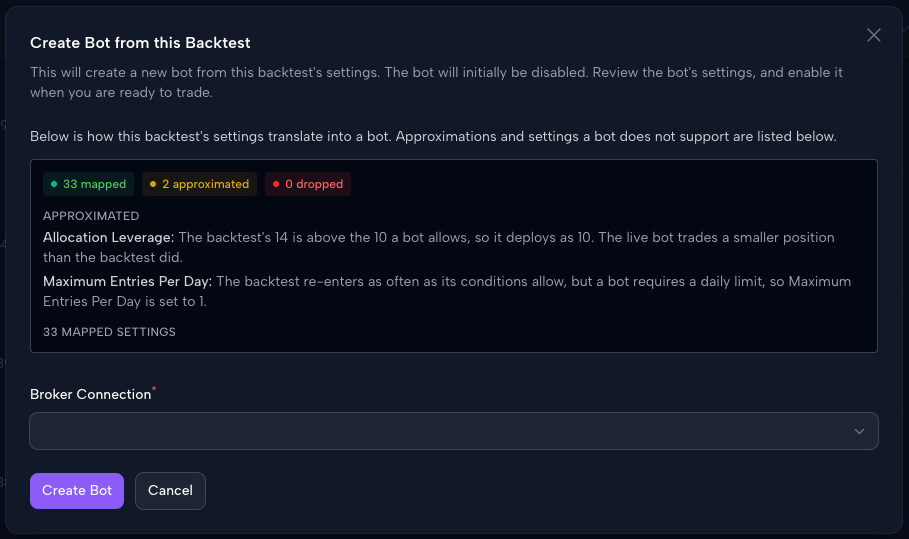
Click "Create Bot", and you'll have a new bot with that backtest configuration. The bot starts as Disabled so that you can review and only enable it once you are ready.
It is extremely important to review all bot settings after creating a bot from a backtest. Some settings can be lost in translation or modified slightly between the backtest and bot. Review all bot settings for accuracy before you enable the bot.